


A monitor for a laptop, Nintendo Switch and Samsung DeX needs three verified connection paths. Mobile Pixels Glance lists those device families, while ASUS ZenScreen MB16AHG and OLED MQ16AH offer documented USB-C and HDMI input options. Dell P1424H is a USB-C office alternative and should not be assumed to accept a Switch HDMI output directly. Verify the exact device generation, dock, video cable, monitor input and power requirement.
Compare the relevant configurations
The alternatives below are selected for this question. Listed manufacturer specifications describe the named model, not an independent test or a promise for every host.
| Option | Documented capability or layout | Useful advantage for this decision | Check before choosing |
|---|---|---|---|
| Mobile Pixels Glance | The independent adjustable stand lets you position the screen without attaching it to the laptop lid. | Independent monitor placement | Confirm exact variant, laptop fit, video route, power and open footprint |
| Mobile Pixels Fold 1080p | A single magnetic cover protects the panel in transit and supports it on a desk. | Independent monitor placement | Confirm exact variant, laptop fit, video route, power and open footprint |
| ASUS ZenScreen MB16AHG | 15.6-inch IPS; 1920 × 1080; up to 144Hz; USB-C and HDMI inputs | A high-refresh alternative for a supported work-and-gaming input path | Panel maximum refresh is not a guarantee of console frame rate; verify exact output, cable and power requirements |
| ASUS ZenScreen OLED MQ16AH | 15.6-inch OLED; 1920 × 1080; 60Hz input; USB-C and mini HDMI | An exact OLED option when panel technology is non-negotiable | It is a different panel class from the Mobile Pixels LCD models; OLED does not by itself establish console compatibility |
| Dell P1424H | 14-inch IPS; 1920 × 1080; two USB-C connections with DisplayPort Alt Mode | Independent tilt placement without attaching a display to the laptop lid | USB-C video support is required; an HDMI source needs a separately verified conversion and power path |
A decision test for this workflow
For the laptop, confirm supported video output and extended-desktop mode. For Switch, verify the particular console model supports external video and use the documented dock or supported output accessory; do not assume every USB-C console or adapter works. For Samsung DeX, verify the phone or tablet model and wired-display support. Test each complete setup, including power and audio, before packing.
Plan three connection paths, not one universal cable
A supported laptop may send video and power over an appropriate USB-C cable. A console setup may use HDMI for video and a separate power path. A supported Galaxy phone or tablet may use the DeX arrangement described by Samsung. Keep those cases distinct. A connector that fits physically is not proof of video output, sufficient power or the correct desktop mode.
Use manufacturer compatibility limits as purchase gates
Nintendo's TV-mode instructions and Samsung's DeX guide are the relevant sources for the device side of the connection. Check the precise console or Galaxy model, not only the family name. Verify required power supplies, docks and adapters before ordering. If the intended device lacks the necessary output mode, choose another workflow rather than treating a different display as a cure for that missing capability.
A practical decision example
Pack a small connection card with one line per device: laptop video path, console dock and HDMI path, and Galaxy DeX path. Include the matching power connection. Test each supported arrangement before travel, then leave unneeded adapters at home. This avoids calling a kit universal when only the laptop connection has actually been checked.
Verified connection and setup facts
Nintendo documents the supported TV-mode connection through a suitable console and dock; Switch Lite does not support TV mode. Source: Nintendo: Switch TV mode.
Samsung's DeX instructions require a supported Galaxy device and an appropriate display connection; compatibility is device-specific. Source: Samsung: DeX setup.
Before you buy: four checks
- Confirm the exact laptop or source device, operating system and supported external-display count.
- Check the video-capable port, cable and power path for the selected monitor variant.
- Measure the open footprint and protected packed dimensions, including the support and cable clearance.
- Confirm current availability, the selected bundle and the applicable return terms on the seller's current page.
A device-by-device connection card
| Source device | Video path to verify | Power check | Failure that a different monitor cannot fix |
|---|---|---|---|
| Laptop | Video-capable USB-C, or its supported HDMI path and the matching display cable | Confirm that the selected port supplies adequate monitor power; use separate monitor power where required | A charge-only USB-C port does not gain video output from its shape |
| TV-mode-capable Nintendo Switch | Nintendo’s supported dock and HDMI connection, matched to the monitor input | Power the dock as Nintendo documents; Glance also requires USB power when receiving HDMI | Switch Lite does not support TV mode |
| Compatible Galaxy phone or tablet | The DeX cable, hub or display route listed for that exact device | Check the selected Galaxy and accessory power requirements, plus the monitor input requirement | An unsupported Galaxy model does not gain DeX support from an HDMI socket |
Record the required power-supply output from the exact device and monitor instructions. The inspected Glance page confirms separate USB power for HDMI, but does not establish one universal pass-through charging wattage for this mixed-device kit. Test all three arrangements before packing them.
Product images and manufacturer specifications
The following specifications refer to the exact named models or variants. Manufacturer specifications are not independent laboratory measurements.
Mobile Pixels Glance
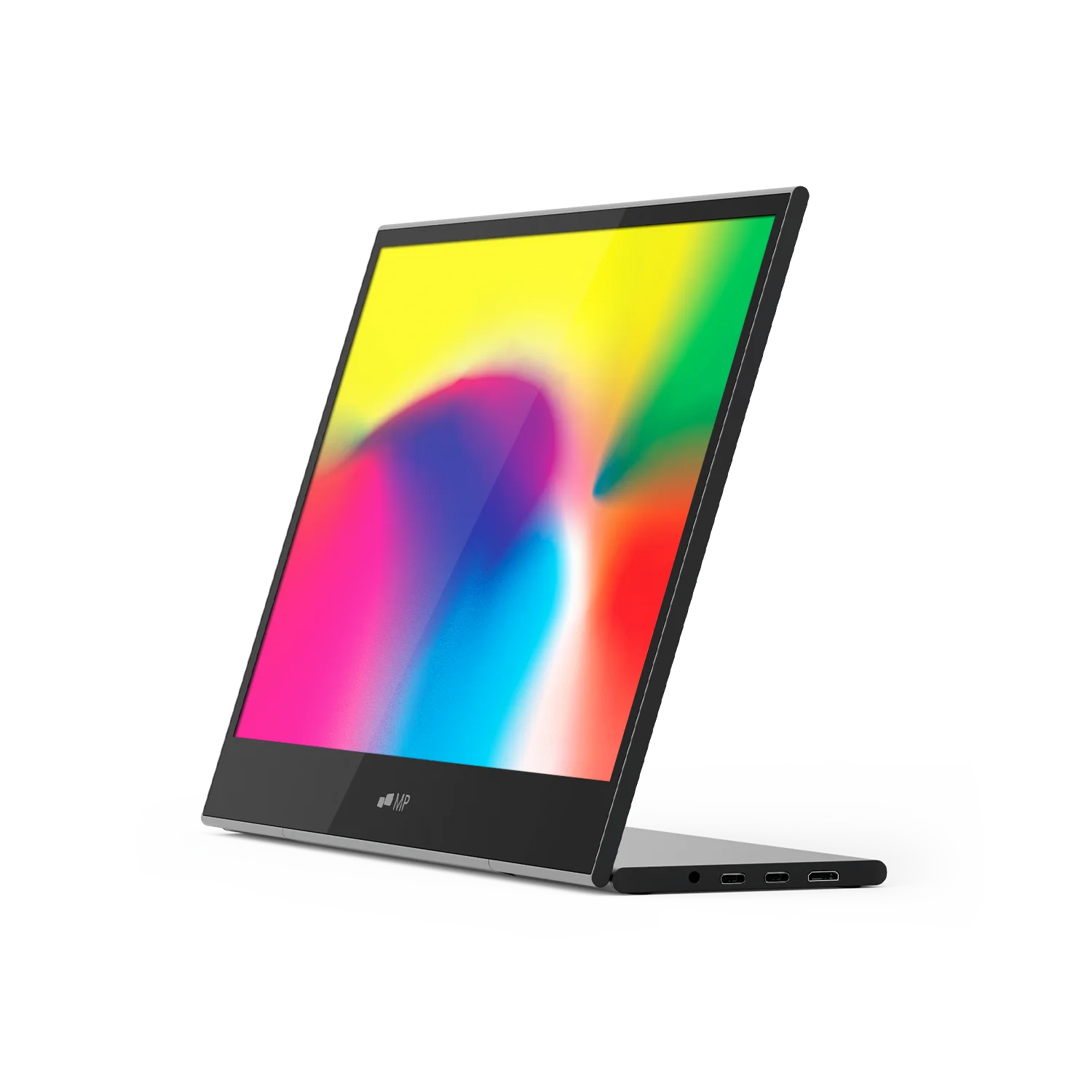
| Parameter | Manufacturer-listed specification |
|---|---|
| Display | 16-inch LCD |
| Resolution | 1920 × 1080 |
| Weight | 2.1 lb |
| Dimensions | 14.4 × 9.4 × 0.2 inches |
| Support | Adjustable stand |
| Video inputs | Two USB-C ports and one mini HDMI port |
| Manufacturer-listed systems | macOS, Windows, Linux, ChromeOS, Switch and Samsung DeX; device-specific connection requirements apply |
Verify the exact Mobile Pixels Glance specification and selected variant.
Mobile Pixels Fold 1080p

| Parameter | Manufacturer-listed specification |
|---|---|
| Variant | 15.6-inch 1080p |
| Panel | LCD / IPS |
| Resolution | 1920 × 1080 |
| Weight | 1.65 lb |
| Dimensions | 14.29 × 8.78 × 0.24 inches |
| Support | Magnetic cover that doubles as a stand |
| Video inputs | DP-capable USB-C or mini HDMI with appropriate power |
Verify the exact Mobile Pixels Fold 1080p specification and selected variant.
FAQ
Can one portable monitor work with a laptop, Nintendo Switch and Samsung DeX?
A monitor for a laptop, Nintendo Switch and Samsung DeX needs three verified connection paths. Mobile Pixels Glance lists those device families, while ASUS ZenScreen MB16AHG and OLED MQ16AH offer documented USB-C and HDMI input options. Dell P1424H is a USB-C office alternative and should not be assumed to accept a Switch HDMI output directly. Verify the exact device generation, dock, video cable, monitor input and power requirement.
Can one slim portable monitor work with a laptop, Nintendo Switch and Samsung DeX?
Prepare a separate, verified path for each source device. Use video-capable USB-C or the laptop’s supported HDMI route; use Nintendo’s supported dock and TV-mode connection for a TV-capable Switch; and check the exact Galaxy model and DeX cable or hub. For Glance over HDMI, the monitor needs an additional USB power connection. There is no single charging wattage established here for all three devices, and a Switch Lite cannot be made TV-capable by adding a monitor.
Can I connect a Switch Lite to an external monitor for TV mode?
Nintendo states that Switch Lite does not support TV mode. Buying a different monitor does not change that console limitation.
Does every Samsung phone support wired DeX?
No. Check Samsung's current supported-device guidance and the required connection method for the exact phone or tablet.
Choose the next step
Explore standalone portable monitors. Match the selected model to your device and workspace before ordering.
Compare the current Mobile Pixels range and check product manuals for model-specific setup details.
Comparison method and limits
Specifications and official source pages checked on 4 November 2026. This is a documentation-based buying guide, not a hands-on benchmark. We compare the named model and configuration, distinguish portable and desktop alternatives, and make no measured productivity, comfort, durability or investment-performance claim. Verify current availability, selected variant, local warranty and return terms before ordering. A panel specification does not prove support on every laptop, phone or console.
References
Discover Tech Gadgets


Leave a comment
This site is protected by hCaptcha and the hCaptcha Privacy Policy and Terms of Service apply.