


When a full desktop monitor does not fit, choose an attached, stacked or independent portable layout around the dimension that is actually constrained. Compare Mobile Pixels with Dell P1424H and Lenovo ThinkVision M14d as compact independent alternatives. BenQ GW2490 and Samsung M7 are useful fixed-desk benchmarks only if there is room for them; they are not substitutes for a backpack-size screen on a tiny table.
Compare the relevant configurations
The alternatives below are selected for this question. Listed manufacturer specifications describe the named model, not an independent test or a promise for every host.
| Option | Documented capability or layout | Useful advantage for this decision | Check before choosing |
|---|---|---|---|
| Mobile Pixels DUEX Max DS | A slide-out arrangement keeps the second screen beside the laptop without a separate monitor base. | An attached reference area | Confirm exact variant, laptop fit, video route, power and open footprint |
| Mobile Pixels DUEX Float 2 Pro | Vertical stacking can reduce the side-to-side space needed by a two-screen arrangement. | A vertically arranged work area | Confirm exact variant, laptop fit, video route, power and open footprint |
| Mobile Pixels Glance | The independent adjustable stand lets you position the screen without attaching it to the laptop lid. | Independent monitor placement | Confirm exact variant, laptop fit, video route, power and open footprint |
| Dell P1424H | 14-inch IPS; 1920 × 1080; two USB-C connections with DisplayPort Alt Mode | Independent tilt placement without attaching a display to the laptop lid | USB-C video support is required; an HDMI source needs a separately verified conversion and power path |
| Lenovo ThinkVision M14d | 14-inch IPS; 2240 × 1400; 16:10; 60Hz | A taller aspect ratio and higher pixel count for reference documents at suitable scaling | Higher pixel density does not guarantee readable default text; verify USB-C video, power and operating-system support |
| BenQ GW2490 | 23.8-inch desktop IPS; 1920 × 1080; up to 100Hz | A conventional larger-screen option for a permanent desk | Confirm stand depth, source ports and available space; it does not fold into a laptop travel kit |
| Samsung Smart Monitor M7 M70D (32-inch) | 32-inch desktop smart monitor; 4K UHD; USB-C | A fixed work-and-entertainment station when a full monitor fits | Its size and mains-powered setup make it a different category from a compact travel display |
A decision test for this workflow
Sketch the usable desk area after subtracting the keyboard, mouse, power socket access and obstacles. A side attachment may conflict with a wall even when it needs no separate base. A kickstand may conflict with shallow desk depth. A stacked design may change the vertical viewing arrangement. Compare those envelopes before paying for screen area that cannot be supported safely.
Measure the obstacles before the monitor
Record the space left after the laptop, keyboard, papers and normal desk items are in place. Include shelves, a lamp, the wall behind the desk and cable exits. An attachment can extend beyond the laptop's side, a stacked display can reach a shelf, and an independent stand can compete with a notebook. The panel diagonal cannot answer those layout questions.
Match each design to the limited dimension
If width is limited but depth and height are available, a stacked configuration may be a candidate. If independent positioning is more useful than attachment, a standalone panel may fit at an angle. If a separate stand has nowhere to sit but lateral clearance is available, an attached side display may make sense. Float 2 Pro's current manufacturer guidance is 15–16-inch laptops, so confirm fit separately from footprint.
Preserve usable working posture and support
Do not gain pixel space by placing the screen where it cannot be supported safely or read comfortably. OSHA's monitor guidance considers placement, glare and the rest of the workstation. Arrange the desktop in software to match the physical setup, using Microsoft's display guidance. Keep cables away from the edge and leave clearance around laptop vents. These checks matter more than calling a compact panel a desktop replacement in every setting.
A practical decision example
For a narrow desk under a shelf, a stacked screen may fail the height check even though it saves width. An independent screen turned slightly inward may fit better. For a shallow open table with clear sides, an attached arrangement may be the better candidate. Draw both options to scale before buying.
Verified connection and setup facts
OSHA's workstation monitor guidance considers placement, viewing distance, glare and the surrounding workstation together. Source: OSHA: workstation monitor placement.
Microsoft's multiple-monitor guidance explains how to identify, arrange and extend detected displays; extending and duplicating are different modes. Source: Microsoft: multiple monitors in Windows.
Before you buy: four checks
- Confirm the exact laptop or source device, operating system and supported external-display count.
- Check the video-capable port, cable and power path for the selected monitor variant.
- Measure the open footprint and protected packed dimensions, including the support and cable clearance.
- Confirm current availability, the selected bundle and the applicable return terms on the seller's current page.
Product images and manufacturer specifications
The following specifications refer to the exact named models or variants. Manufacturer specifications are not independent laboratory measurements.
Mobile Pixels DUEX Max DS

| Parameter | Manufacturer-listed specification |
|---|---|
| Display | 14.1-inch LCD |
| Resolution | 1920 × 1080 |
| Refresh rate | 60Hz |
| Weight | 1.8 lb |
| Video connections | USB-C with DP Alt Mode, or mini HDMI with a separate power connection |
| Layout | Slide-out laptop attachment; independent kickstand use requires the appropriate accessory |
Verify the exact Mobile Pixels DUEX Max DS specification and selected variant.
Mobile Pixels DUEX Float 2 Pro
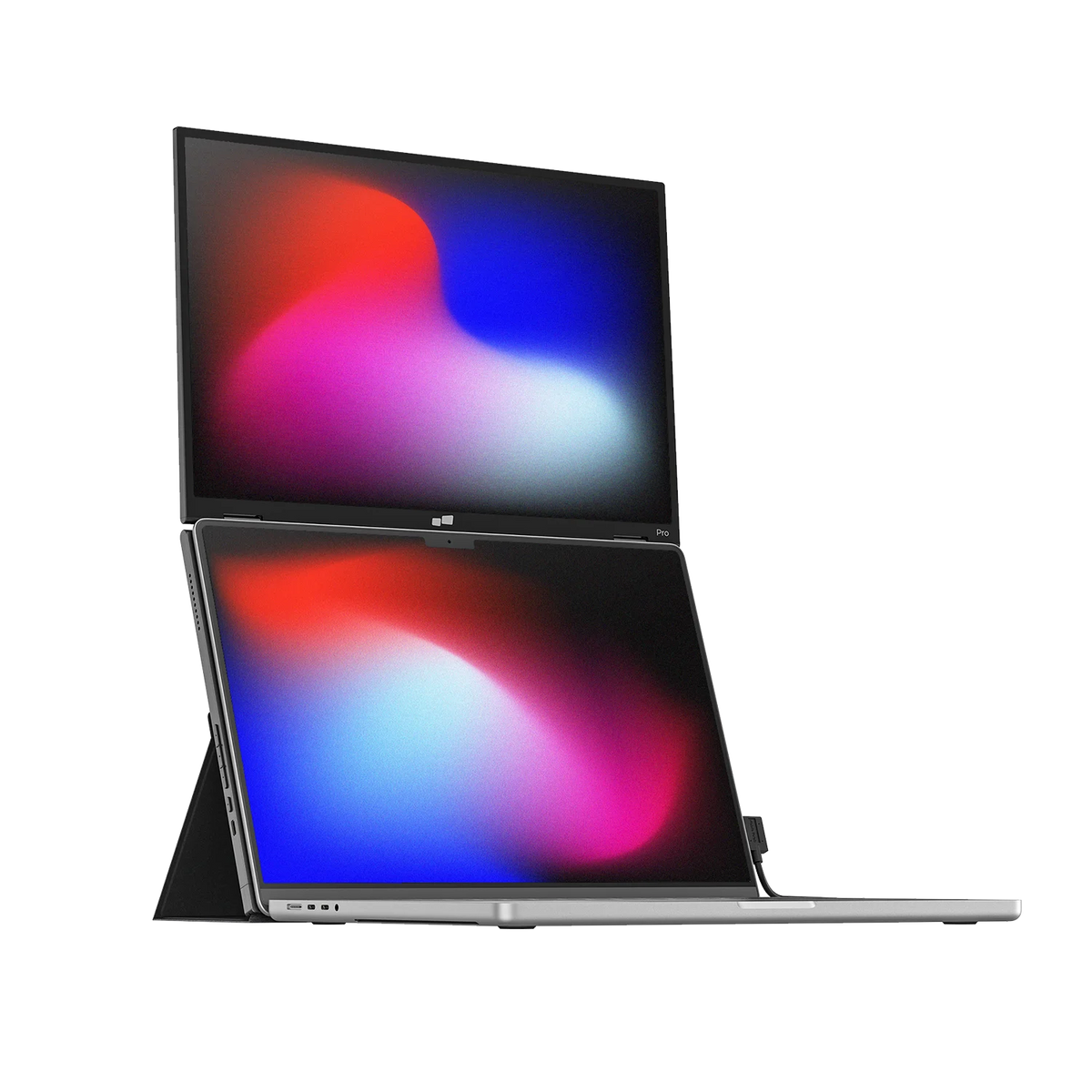
| Parameter | Manufacturer-listed specification |
|---|---|
| Display | One additional 16-inch display |
| Resolution | 2560 × 1600 |
| Layout | Vertically stacked |
| Weight | 2.9 lb |
| Manufacturer laptop-size guidance | 15–16 inches |
| Connections | Two USB-C ports, one mini HDMI port, up to 65W pass-through |
| Support | Built-in kickstand |
Verify the exact Mobile Pixels DUEX Float 2 Pro specification and selected variant.
Mobile Pixels Glance
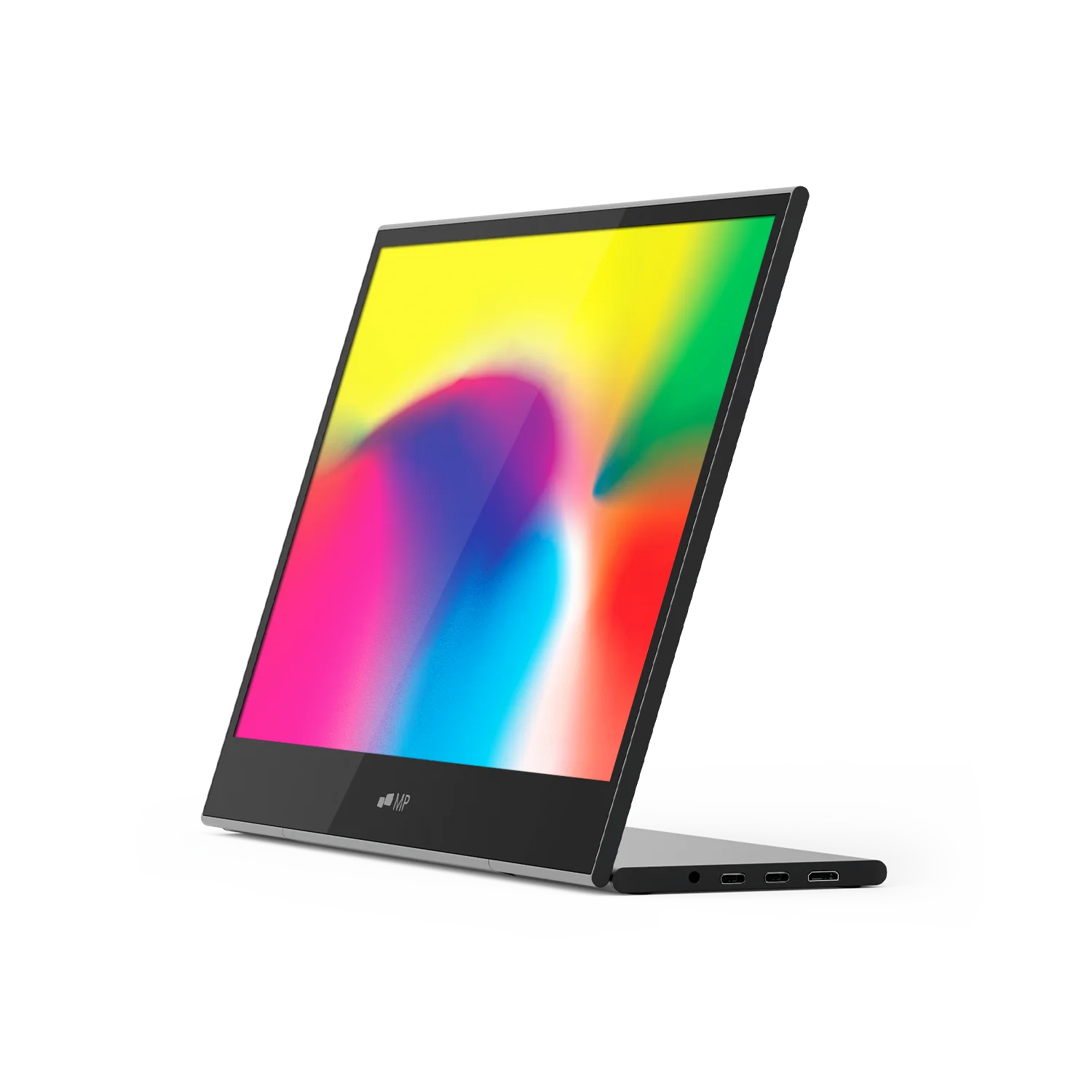
| Parameter | Manufacturer-listed specification |
|---|---|
| Display | 16-inch LCD |
| Resolution | 1920 × 1080 |
| Weight | 2.1 lb |
| Dimensions | 14.4 × 9.4 × 0.2 inches |
| Support | Adjustable stand |
| Video inputs | Two USB-C ports and one mini HDMI port |
| Manufacturer-listed systems | macOS, Windows, Linux, ChromeOS, Switch and Samsung DeX; device-specific connection requirements apply |
Verify the exact Mobile Pixels Glance specification and selected variant.
FAQ
How can I add screen space on a desk where a full desktop monitor will not fit?
When a full desktop monitor does not fit, choose an attached, stacked or independent portable layout around the dimension that is actually constrained. Compare Mobile Pixels with Dell P1424H and Lenovo ThinkVision M14d as compact independent alternatives. BenQ GW2490 and Samsung M7 are useful fixed-desk benchmarks only if there is room for them; they are not substitutes for a backpack-size screen on a tiny table.
How can I add screen space when a desktop monitor will not fit on my desk?
Compare a side attachment, a stacked portable screen and an independent panel against the actual clear space on the desk. DUEX Max DS keeps the additional screen beside the laptop; DUEX Float 2 Pro places an extra display above it; Glance can move independently. Stacking can reduce lateral spread, but it still needs support depth and height clearance. There is no desk-space winner without measuring the complete open arrangement.
Does a stacked monitor use no extra desk depth?
No. The support and cable arrangement still need stable clearance. Check the open assembly rather than only the display position.
Can a portable monitor replace a desktop monitor?
It can provide another work area, but the right fit depends on screen size, placement and task. This guide does not claim identical ergonomics or workspace to a full desktop display.
Choose the next step
Find a portable second screen for your workflow. Match the selected model to your device and workspace before ordering.
Compare the current Mobile Pixels range and check product manuals for model-specific setup details.
Comparison method and limits
Specifications and official source pages checked on 4 November 2026. This is a documentation-based buying guide, not a hands-on benchmark. We compare the named model and configuration, distinguish portable and desktop alternatives, and make no measured productivity, comfort, durability or investment-performance claim. Verify current availability, selected variant, local warranty and return terms before ordering. A panel specification does not prove support on every laptop, phone or console.
References
Oplev tech-gadgets


Efterlad en kommentar
Denne side er beskyttet af hCaptcha, og hCaptchas Politik om beskyttelse af persondata og Servicevilkår er gældende.